
PinnedWell is reader-supported. When you buy through links on our site, we may earn an affiliate commission at no extra cost to you. This helps us keep creating honest, research-backed content.
Let me paint you a picture. It's March 2021. I've been working from the kitchen table for a year. My "desk chair" is a wooden dining chair with a throw pillow on it. My laptop sits directly on the table, which means I'm hunched over like a gargoyle for eight hours a day. And I am genuinely confused about why my neck hurts.
My physical therapist was very kind about it. She did not say "well, obviously," but I could see it in her eyes.
That was my wake-up call. Five years later, I've rebuilt my home office from scratch with ergonomics as the actual priority — not aesthetics, not Instagram-worthiness, but "will this prevent me from needing spinal surgery at 50." And the wild part? A good ergonomic setup doesn't have to be ugly or absurdly expensive. It just requires knowing what actually matters.
Here's everything I've learned, including the products that made the biggest difference.

Why Ergonomics Isn't Optional Anymore
If you work from home — even part-time — your body is accumulating the consequences of your setup every single day. Poor ergonomics doesn't announce itself with a dramatic injury. It's slow. It's a little more stiffness each month, a headache that becomes daily, a shoulder that starts clicking. By the time it's a real problem, you've been doing damage for years.
The good news: most ergonomic fixes are straightforward. You don't need a $3,000 Herman Miller chair (though they're lovely). You need your screen at the right height, your arms at the right angle, and your body supported properly. Let's break it down.
The Standing Desk: Yes, It's Worth It
I resisted a standing desk for a long time because they seemed like a tech-bro trend. Then I tried one at a friend's house and immediately understood. It's not about standing all day — it's about having the option to change positions throughout the day. Sitting for eight hours is bad. Standing for eight hours is also bad. Alternating between the two is the sweet spot.
The FlexiSpot E7 is what I use, and after two years of daily use, I'm fully committed. It's stable (no wobble, even at standing height), the motor is quiet enough that I can adjust it during Zoom calls without anyone noticing, and it has memory presets so I can switch between my sitting and standing heights with one button.
What We Like
Room to Improve
My honest take: If you work from home full-time, a height-adjustable desk pays for itself in avoided medical bills. I'm not being dramatic. My PT co-pay alone was $60 per visit, and I was going twice a week. The desk was cheaper than two months of physical therapy.
Get Your Monitor at Eye Level
This is the single most common mistake I see in home offices, and it's the one that was destroying my neck. If you're looking down at a laptop screen all day, your neck is flexed forward in a position it was never designed to hold for hours.
The fix: get your monitor (or laptop screen) so the top of the display is roughly at eye level, about an arm's length away. The easiest way to do this is with a monitor arm.
The Ergotron LX is the gold standard, and I understand why. It's incredibly adjustable — you can push, pull, tilt, and swivel your monitor with one hand. It clamps to the back of the desk and holds the screen exactly where you need it. Plus, it frees up a ton of desk space since your monitor is floating instead of sitting on a bulky stand.
If you use a laptop, pair the monitor arm with an external monitor and a separate keyboard and mouse. Or at minimum, get a laptop stand to raise the screen and use an external keyboard. Working directly on a laptop for extended periods is an ergonomic disaster no matter how you sit.
Support What's Already Hurting
Even with the best desk and monitor setup, your chair matters. I eventually invested in a decent ergonomic chair, but before I did, the product that bridged the gap was the ComfiLife Gel Enhanced Seat Cushion.
It's a memory foam cushion with a gel layer that doesn't go flat after a week (a problem with every cheap cushion I tried before). It tilts your pelvis into a better position, takes pressure off your tailbone, and honestly makes any chair more comfortable. I used it on my dining chair, my old office chair, and even in the car. My husband started stealing it for his desk, so I bought a second one.
At $35, this is the best bang-for-your-buck ergonomic upgrade you can make. If you're not ready to overhaul your whole office, start here.
Posture Tips That Actually Stick
I've read every "fix your posture" article on the internet, and most of them boil down to "just sit up straight," which is about as helpful as telling someone with insomnia to "just fall asleep." Here's what actually works in practice:
The 20-20-20 rule: Every 20 minutes, look at something 20 feet away for 20 seconds. I set a gentle recurring timer on my phone. It sounds annoying, but it prevents eye strain and naturally breaks up the hunching.
Elbows at 90 degrees: When your hands are on the keyboard, your elbows should be bent at roughly 90 degrees, with your forearms parallel to the floor. If you're reaching up or down to type, your desk is the wrong height.
Feet flat on the floor: If your feet dangle (short people, represent), get a footrest. Dangling feet mean your thighs are taking pressure they shouldn't, and your lower back compensates.
Screen distance: Extend your arm straight out. Your monitor should be roughly at your fingertips. Too close and your eyes strain. Too far and you lean forward.
Shoulders down and back: Not aggressively pulled back like you're in the military, just... not up by your ears. I catch myself shrugging my shoulders when I'm stressed, and the neck tension follows within the hour.
Change positions often: This is the real secret. No single position is perfect for eight hours. Sit, stand, shift, stretch. Movement is the best ergonomic tool you have.
The Little Things That Add Up
Beyond the big-ticket items, a few small additions made my office noticeably more comfortable:
- A keyboard wrist rest ($12-15) to keep my wrists neutral while typing
- A vertical mouse ($25ish) that keeps my forearm in a natural handshake position instead of twisted flat
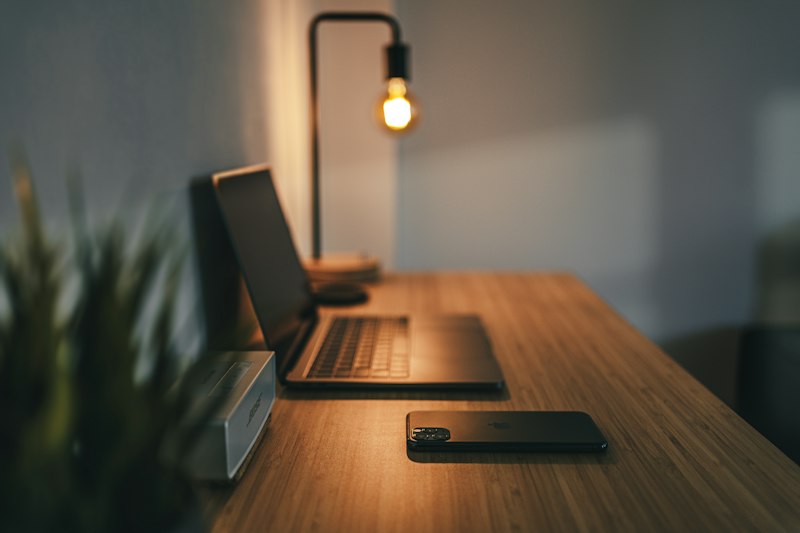
- A small desk lamp with warm light for reducing eye strain during afternoon work
- A timer app that reminds me to stand, stretch, and look away from the screen
None of these are glamorous. None of them would make my office look cool on Pinterest. But they keep me working pain-free, and at 40, that's the priority.
My Daily Ergonomic Routine
I've built a few habits into my workday that keep things in check:
- Morning: Start standing for the first 30 minutes while I go through email and coffee
- Mid-morning: Switch to sitting, do a quick shoulder roll and neck stretch
- Lunch: Leave the office entirely. Eat somewhere else. Move around.
- Afternoon: Alternate sitting and standing in 45-minute blocks
- End of day: 5-minute stretch routine (YouTube has a million good ones)
It sounds like a lot when I write it out, but it's mostly automatic now. The standing desk presets help — I just push a button and keep working.
Frequently Asked Questions
Do I really need a standing desk, or is a good chair enough? A good chair helps a lot, but the ability to change positions throughout the day is what really reduces strain. If budget is tight, start with the seat cushion and a laptop stand, then save for the desk.
How long did it take to get used to standing while working? About two weeks. I started with just 15-20 minutes of standing per hour and gradually increased. Don't try to stand for four hours on day one — your feet and legs need to adapt.
Is the FlexiSpot E7 stable enough for video calls? Completely. Even when I'm typing at standing height, there's zero wobble. I've taken hundreds of Zoom calls standing and nobody has ever commented on movement.
What chair do you actually use? I have a HON Ignition 2.0, which runs about $350. It's not flashy, but it's adjustable in all the right places and has held up well. The ComfiLife cushion sits on top of it for extra tailbone relief.
Can I expense any of this if I work from home? Many employers offer home office stipends — it's worth asking. Some will cover ergonomic equipment if you have a doctor's note. Also check if your health insurance FSA/HSA covers ergonomic products (many do).
What's the one thing to buy if I can only afford one upgrade? The ComfiLife cushion at $35. Immediate improvement, no assembly, works with whatever chair you already have.
You spend thousands of hours a year at your desk. That's not an exaggeration — if you work full-time from home, it's roughly 2,000 hours annually. Investing in a setup that supports your body isn't a luxury. It's maintenance. Your 50-year-old self is going to either thank you or be very, very annoyed with the choices you made now. Take it from someone who learned the hard way.
Related Articles

Laundry Room Makeover on a Budget: From Depressing Dungeon to a Room I Don't Hate
You don't need a full renovation to transform your laundry room. These budget-friendly upgrades took my sad, cluttered laundry corner from eyesore to a space I actually enjoy being in — for under $200 total.

How to Create an Aesthetic Home Office in Any Corner of Your House (Mom Edition)
You don't need a spare room to have a beautiful home office. Here's how to create an aesthetic, functional workspace in any corner of your house — even if that corner is also the dining room and the homework station.